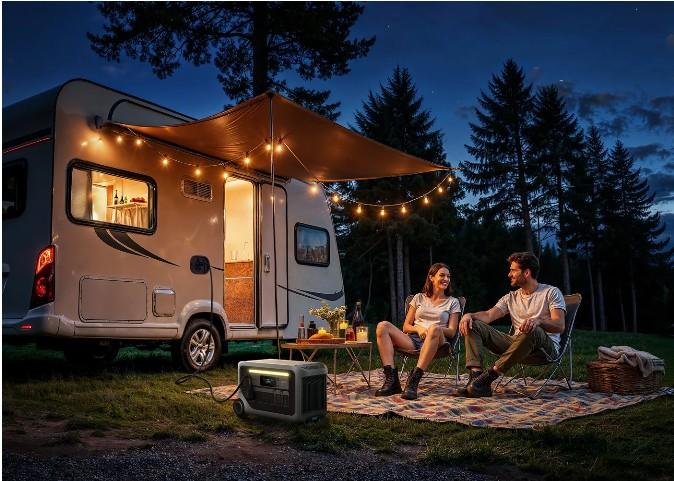

Portable solar panels spend much of their working time outdoors, where dust, pollen, leaves, moisture, and frequent handling become part of normal use. A practical maintenance routine keeps the panel surface clear, connections organized, and the complete solar setup ready for the next trip or backup session. The process does not need to become complicated. Regular visual checks, gentle cleaning, careful handling, and proper storage cover the essentials. The key is to treat maintenance as part of each setup and pack-down cycle.
Make Panel Care Part of Every Solar Session
Inspect the Surface Before Reaching for Water
Start with a visual inspection while the panel is disconnected and positioned where the entire surface is easy to see. Look for loose dust, pollen, leaves, bird droppings, sap, or other material collected during outdoor use. Light debris may only require a soft, dry cloth or gentle brush. When more cleaning is appropriate, follow the panel manufacturer’s care instructions and use suitable materials rather than improvising with harsh household products. Pay attention to corners, folds, seams, and edges where debris can collect during repeated setup. This quick inspection also establishes a useful habit: each time the panel comes out of storage, its condition gets checked before it begins supplying solar energy.
Clean Gently and Finish With a Dry Surface
For cleaning that requires moisture, work gently across the panel instead of applying heavy pressure. A soft cloth and clean water are appropriate starting points when they match the manufacturer’s instructions. Wipe away loosened material carefully, then allow the panel to dry before folding, packing, or reconnecting it. The aim is routine surface care rather than aggressive scrubbing. This matters when solar panels regularly accompany a portable solar power generator to campsites, cabins, outdoor events, or other temporary locations. The Anker SOLIX S2000, for example, is offered with either a 200W or 400W bifacial solar panel. Keeping a simple cleaning cloth with the solar equipment makes basic care easy to include whenever the system is packed away.
Give Cables and Connectors Their Own Check
The panel face receives most of the attention, but cables and connectors also deserve a quick inspection. Before reconnecting the system, check that connection points are clean, dry, and free from visible debris. Arrange cables so they follow a clear path between the panel and power station instead of becoming tangled with other camping or household equipment. This is also a good moment to confirm that the intended solar configuration matches the power station’s specified input. The Anker SOLIX S2000 supports up to 400W solar input. With 400W solar input, Anker states that it can recharge to 80% in 4.5 hours under the specified conditions. A tidy connection routine makes it easier to recreate the intended setup each time.
Protect the Panel Between Uses as Carefully as During Them
Pack Only After the Setup Is Ready for Storage
Maintenance continues after solar charging ends. Before packing, remove surface debris, confirm that the panel is dry, and organize its cables rather than rushing everything directly into storage. Follow the panel’s intended folding or packing method so the equipment returns to its stored form correctly. A consistent pack-down order can make this easier: disconnect the power station, inspect connections, clean the panel if needed, let any moisture dry, organize cables, and then store the equipment. This approach works especially well for portable systems because every trip involves repeated setup and removal. The routine also makes the next outing simpler. Instead of beginning with cleaning and cable sorting, users can unpack equipment that was already prepared at the end of the previous session.
Choose Storage With the Next Setup in Mind
Good storage is partly about organization. Keep the panel and its related charging equipment together in a clean, dry place that suits the manufacturer’s storage guidance. Avoid placing unrelated travel gear on top of folded equipment, and arrange cables so they are easy to identify the next time the system is needed. For an S2000 setup, storing the solar equipment close to the power station creates a ready-to-go power kit. The S2000 itself measures 8.2 × 11.1 × 12.7 inches and includes built-in handles, so the station and panel can be treated as coordinated pieces of portable equipment. This approach is particularly useful for households that alternate between outdoor trips, remote stays, and backup preparation throughout the year.

Let Charging Performance Guide Routine Checks
Maintenance does not need to follow an arbitrary calendar. Actual use can help determine when a closer inspection makes sense. Before a longer trip, check the panel surface and connections even if the equipment has remained in storage. During repeated outdoor use, make the inspection part of every setup. Users can also observe the power station’s charging information while the system operates. The S2000 supports app-based remote monitoring, providing another way to follow power information during a solar session. When the panel is positioned under suitable conditions, keeping an eye on input can complement the physical inspection routine. Together, visual checks, regular cleaning, organized storage, and operating awareness create a maintenance pattern based on how often the equipment actually works.
Conclusion
Portable solar panel maintenance works best as a repeating cycle rather than an occasional deep clean. Inspect the surface before setup, remove debris gently, keep connections clean and dry, and pack the equipment only after it is ready for storage. Organizing the panel with its power station also makes future setups more efficient. For systems such as the Anker SOLIX S2000 with 200W or 400W bifacial solar panel options, consistent panel care becomes a simple part of keeping the complete portable energy setup ready for regular use.