The gap between what a client expects from a screen printing order and what arrives at the loading dock almost always traces back to decisions made before a single piece of equipment ran. Not during production. Before it.
The people who get exactly what they wanted understood the technical process well enough to ask the right questions. The people who were disappointed did not.
This guide closes that gap.
What Screen Printing Actually Is (And What It Is Not)
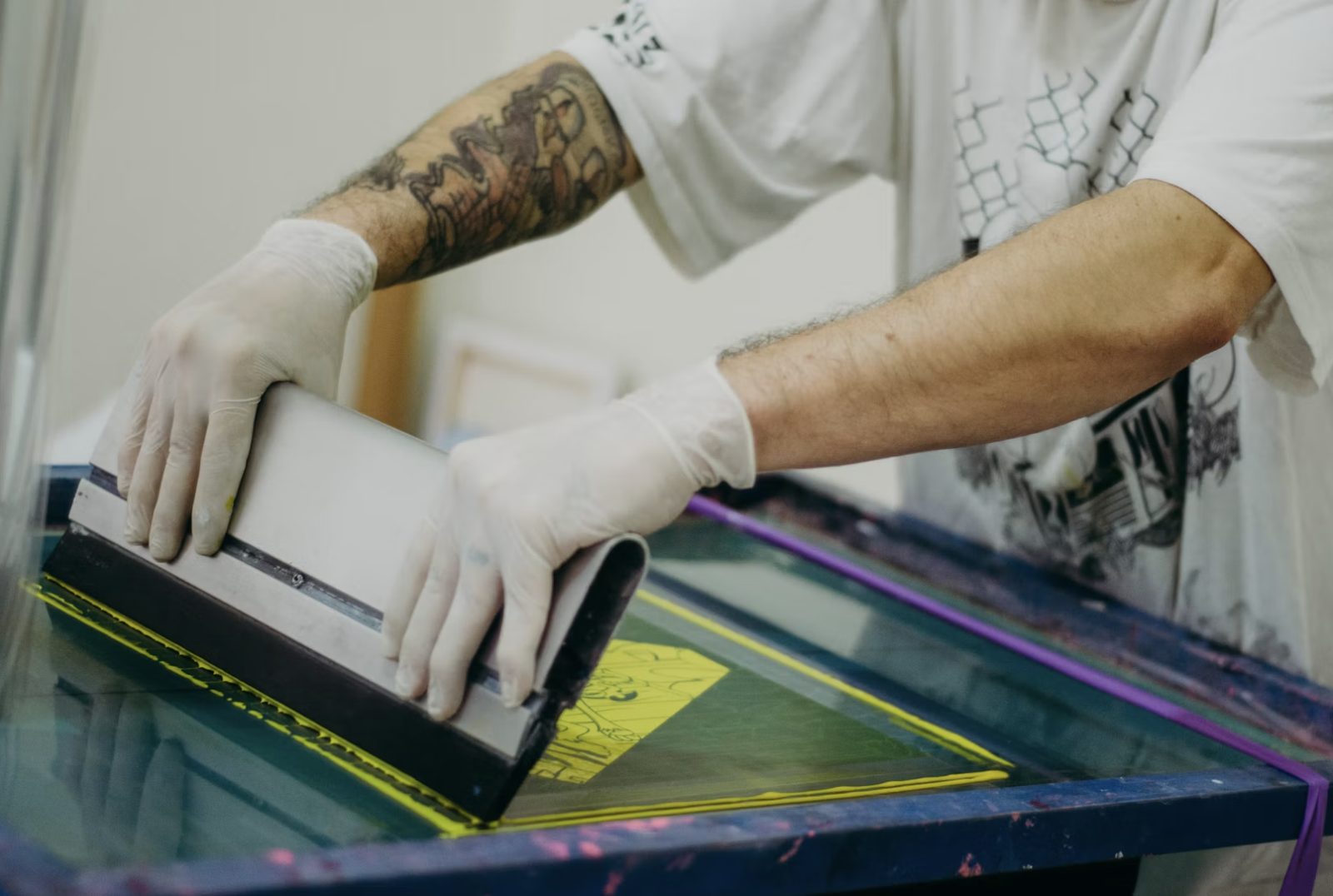
Screen printing applies ink to a substrate one color at a time through a mesh screen. Each color in the design requires its own screen. Each screen goes through the press in a separate pass.
This is not digital printing. Digital printing sprays ink directly from a file. Screen printing uses physical screens, physical ink, and a physical press. The output is durable. The setup cost is real. And the quality is determined by decisions that happen before the run begins.
What screen printing is good for:
- High-volume runs of 50 or more identical items
- Bold, opaque designs on dark fabric
- Designs with limited colors (one to six)
- Merchandise that needs to survive heavy washing
- Items where tactile texture of the print matters
What screen printing is not the right choice for:
- Photographic-quality full-color designs on fabric
- Short runs of fewer than 25 items
- Designs with color gradients that transition smoothly
Sport About FOCO, which provides screen printing fort collins and custom apparel services in northern Colorado, works with clients through the design review before any production begins. This is the step that prevents the most common disappointments.
What Color Separation Determines About Your Final Print
Your design file is almost certainly in full color. It uses RGB values that a computer display creates through light emission.
Screen printing uses physical ink on physical fabric. The physics of how ink reflects light is completely different from how a monitor emits it.
A design with 12 colors requires 12 screens, 12 ink mixes, and 12 press passes. A design with 4 colors requires 4 of each. The cost difference is real and large.
Color separation is the process of converting your full-color file into the individual color layers that become individual screens. This process requires decisions about which colors to use, how to handle areas where colors overlap, and how to represent gradients in a system that applies solid ink layers.
Simulated process printing handles full-color artwork by overlapping limited ink colors to create the appearance of additional colors. Done well, it produces output that reads as full color from a viewing distance. Done poorly, it looks like a newspaper from 1972.
Ask your printer to show you simulated process examples from actual production runs before committing to this approach.
What Mesh Count Does to Your Design
Every screen in a screen printing setup is a mesh of woven threads stretched across a frame. The mesh count is the number of threads per inch. High mesh count means smaller openings, less ink, finer detail. Low mesh count means larger openings, more ink, stronger coverage.
This is a matching problem, not a quality spectrum.
High mesh count (160 to 230): Correct for designs with fine lines, small text, halftone dots, or detailed graphics on light fabric.
Low mesh count (86 to 110): Correct for bold graphics on dark fabric where opacity and coverage are the priorities.
A printer who uses the same mesh count for every job is making a compromise. Some designs will look excellent. Others will underperform because the mesh was optimized for a different design profile.
Ask what mesh counts your specific design warrants and why.
What Fabric Type Changes About Your Print
The ink goes on the fabric, not on the design file. The fabric determines what happens to the ink.
100% cotton: Absorbs plastisol ink well. Ink sits on top of the fibers and cures to a smooth, opaque surface. Best substrate for most screen printing applications.
Polyester or blends: Creates a problem called dye migration. The dye in the polyester fabric migrates upward into the wet plastisol ink layer during curing. White ink on a red poly shirt cures with a pink tint. The ink absorbed dye from the fabric below it.
Solutions include low-bleed ink formulations, barrier coats, or switching to water-based inks. Each affects the feel, the color, and the durability of the print differently.
If you are printing on a performance fabric, a blend, or any fabric that is not 100% cotton, tell your printer before ordering. The ink selection for that job is different from the standard.
What Curing Determines About Whether the Print Lasts
Every screen printed item goes through a curing oven after printing. Plastisol ink cures at 320°F throughout the ink layer, not just at the surface.
An ink layer that reaches 320°F at the surface but not through its full thickness is called undercured. The surface looks fine. The ink feels dry. But the polymer chains in the ink have not fully cross-linked. The print will crack, fade, and separate from the fabric within 5 to 10 washes.
The variables that determine complete cure are oven temperature, belt speed (how long each item spends in the oven), and ink deposit thickness (a thicker layer takes longer to reach full cure temperature throughout).
A printer who runs belt speed based on throughput rather than based on the ink deposit for each job is optimizing for volume. The difference between a print that lasts 50 washes and one that lasts 200 washes comes down to whether the belt speed was correct for the ink being used.
Ask about the curing protocol. A printer who can explain their temperature and belt speed settings for different ink systems is giving you evidence of quality control. One who says only “we cure all our shirts” is not.
What to Ask Before You Order
These five questions separate printers who will match your expectations from those who will not.
- What mesh count are you using for my design and why?
- If my design has more than six colors, how are you handling the color separation?
- What is the fabric composition of the blank you are using?
- What is your cure temperature and belt speed for this ink system?
- What is your process when a run does not meet print quality standards?
The answers to these questions tell you more about the quality you will receive than any portfolio or pricing sheet.
Key Takeaways
- Screen printing requires one screen per color. Color count directly determines setup cost
- Simulated process printing creates full-color appearance from limited ink layers. Examples from actual production (not proofs) reveal real output quality
- Mesh count must match design complexity. Mismatched mesh count produces either bleeding or insufficient coverage
- Polyester and blended fabrics require specific ink systems to prevent dye migration into the curing print
- Undercured ink looks correct and fails within a few washes. Ask about curing temperature and belt speed specifically