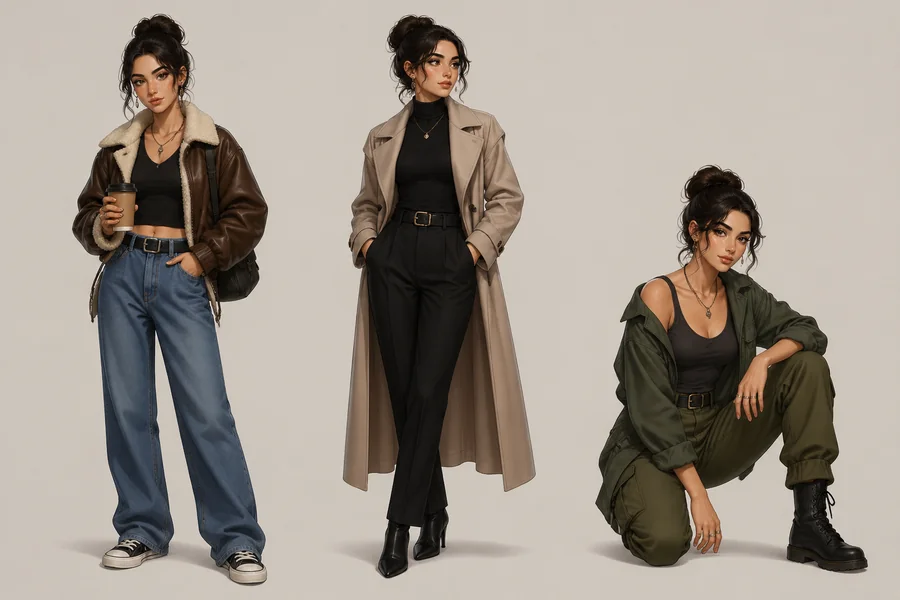
A useful fashion product grid does more than show a similar item five times. It shows one approved garment from several angles without quietly changing the neckline, moving a seam, inventing a pocket, or simplifying the closure. Nano Banana Pro can help create and edit the panels, but consistency still depends on how the job is defined and reviewed.
The reliable approach is to treat the garment as a fixed product record. First decide which details may never change. Then assign a single photographic purpose to every panel. Finally, inspect the grid as product documentation rather than judging it only as an attractive composition.
Write the Garment Record Before the Visual Prompt
A loose description such as “black satin evening dress” leaves almost every construction decision open. A garment record removes those openings. It should describe only visible, verifiable features, using the same terms throughout the job.
Record the garment in a compact list:
- category and silhouette;
- exact color family and material appearance;
- neckline, sleeve, waist, and hem shape;
- seam and panel placement;
- pockets, fasteners, buttons, zips, and hardware;
- print scale and repeat, if present;
- logo wording, position, orientation, and size relationship;
- distinctive wear, texture, or finishing details.
This list is not sales copy. Words such as “luxurious,” “iconic,” or “effortless” may guide atmosphere, but they cannot help a reviewer decide whether the back zip moved. Use concrete nouns and spatial relationships instead: “one concealed zip centered on the back,” or “two patch pockets aligned below the waist seam.”
Keep this invariant block short enough to repeat without paraphrasing. If the front panel says “silver two-way zip” and the lifestyle panel says only “zip jacket,” the latter instruction has already surrendered an important detail.
Give Every Cell One Camera Job
Trying to make every panel show everything produces muddled views. A grid works better when each cell answers one buyer question.
| Panel | Camera job | Details that must remain visible |
| Front | Establish overall silhouette and length | neckline, front closure, pocket position, hem |
| Back | Document rear construction | back seams, yoke, vent, zip, hood or collar shape |
| Detail | Inspect one material or construction feature | stitching, hardware, weave, print, label |
| Flat lay | Show the complete object without a body | proportions, sleeve shape, symmetry, full outline |
| Lifestyle | Show scale and drape in context | the same color, cut, closures, and identifying details |
The panel brief should specify viewpoint, crop, lens character, lighting, background, and the single action occurring in the frame. It should not introduce a new styling concept that competes with the product record. If a lifestyle cell needs a bag, coat, or jewelry, state that none of those additions may obscure the garment’s defining features.
Build a Reference Pack With Named Responsibilities
One flattering campaign photograph may not contain enough evidence for a complete grid. The rear construction might be hidden, the fabric might be color-shifted by lighting, and a hand might cover the closure. Use the smallest reference set that clearly documents the product, and give each reference a role.
For example, the front photograph can control silhouette and color, the rear photograph can control seam placement, and a close-up can control hardware and fabric texture. Do not ask all references to contribute equally. When two photographs disagree because of lighting or styling, identify which one governs the disputed feature.
Crop references around useful evidence rather than surrounding clutter. A hardware reference should make the hardware readable. A rear reference should show where the seams meet. References are evidence, not a mood board.
Prompt the Grid in Two Layers
Separate the instruction into a global lock and panel directions. The global lock names the product, repeats the invariant garment record, and prohibits redesign. The panel layer gives each cell its photographic assignment.
A planning prompt can follow this plain-language pattern:
Create a five-panel fashion product grid showing the same garment in every panel. Preserve the following construction exactly: [garment record]. Do not add, remove, relocate, recolor, or restyle any listed feature. Panel one: [front job]. Panel two: [back job]. Panel three: [detail job]. Panel four: [flat-lay job]. Panel five: [lifestyle job]. Keep color rendering and material appearance coherent across the set.
This is a briefing structure, not a magic command. A strong prompt can reduce ambiguity, but it cannot guarantee that every cell will preserve every detail. If a one-pass grid changes the garment, generate or edit panels separately from the same approved references, then assemble them only after individual checks. That method gives the reviewer a smaller failure surface and makes rejected views easier to replace.
Review in the Right Order
Reviewers often approve the overall mood first and notice product errors later. Reverse that order.
Start with identity. Compare the silhouette, neckline, sleeve, hem, seams, closures, pockets, logo, color, print, and hardware against the garment record. Then compare the panels with one another. A feature can be faithful to one reference yet inconsistent with another generated cell.
Next, check the camera job. The back view fails if it hides the back, even when the garment looks correct. The detail view fails if it beautifies a buckle but changes its shape. The lifestyle view fails if posing makes the coat appear cropped when the approved product is full length.
Only after these checks should lighting, set design, expression, and visual rhythm decide which candidate is strongest. Mark every rejection with a literal reason, such as “left pocket moved upward” or “four buttons instead of three.” Specific rejection notes create useful edit instructions; “looks off” does not.
Keep Product and Routing Names Straight
The browser catalog is operated by ClipDance, not by the companies that trained its listed models. Its seedance 2.5 video option becomes relevant only after an approved fashion still is ready to become a motion shot.
Programmatic teams may encounter reAPI, which aggregates model endpoints and returns asynchronous job states. Some ClipDance routes call it upstream, but the developer service and the browser application remain distinct. A production log should therefore record where a reference was uploaded, where the request travelled, and which output was approved.
Approve the Garment, Not the Mood
The final sign-off should sit beside the original garment record. Read every invariant aloud and point to its evidence in all relevant cells. If a closure disappears, a seam migrates, or a logo changes, reject that panel even if the grid is otherwise polished.
A consistent grid emerges from disciplined constraints: one garment record, one job per panel, named reference roles, and literal comparison. The generation produces candidates. The acceptance checklist decides whether those candidates still depict the product that was actually approved.